 Wonek VPN
APPLE IOS, IPADOS & MACOS VPN · IPHONE, IPAD & MAC
How to Verify Your Real Public Exit IPv4 on iPhone, iPad & Mac
| Tool | What It Tests | Note |
|---|---|---|
| Wonek Connection Screen | System PacketTunnel exit IPv4 | Automatic on every connect |
| `curl -4 ifconfig.me` (Mac) | OS-wide CLI routing | Great before SSH / AWS login |
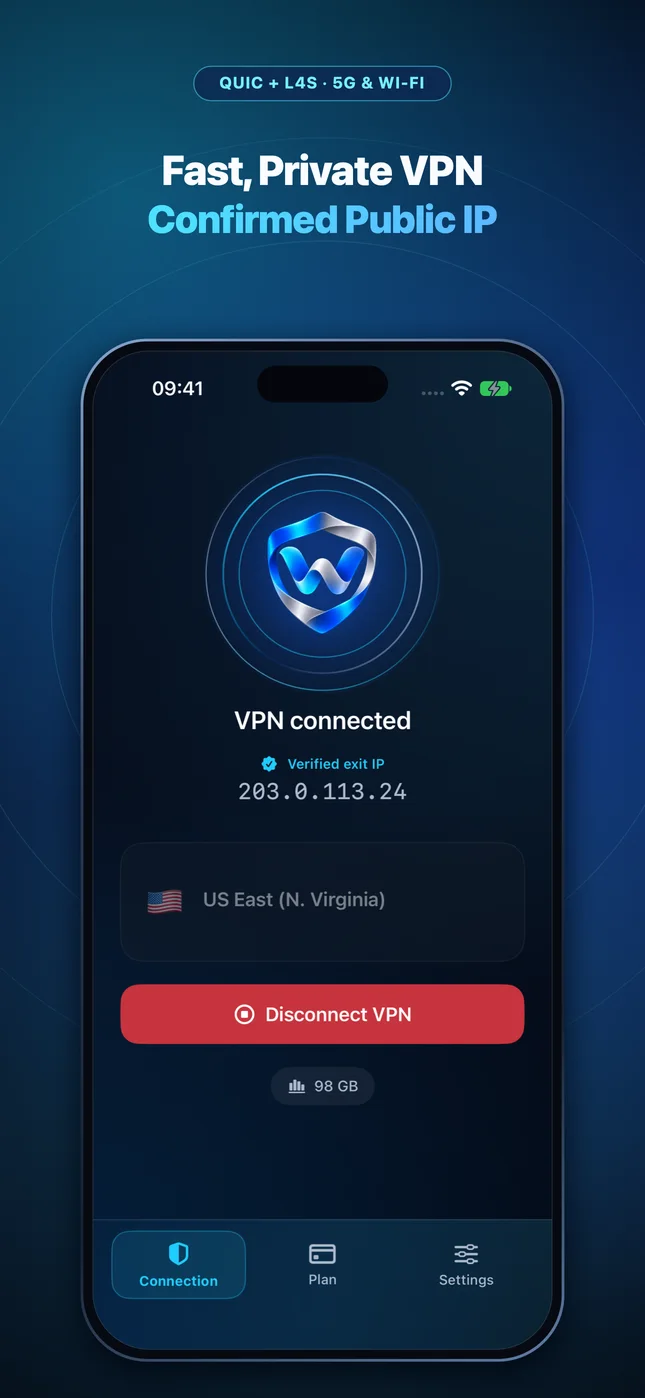
Built-In Post-Connect Verification in Wonek VPN
Immediately after bringing up the PacketTunnel, Wonek VPN performs an encrypted public IPv4 verification check through the tunnel and prints the exact verified exit address on screen.
Checking Command-Line `curl` vs Safari on Mac
In macOS Terminal, `curl -4 https://ifconfig.me` tests raw system routing without browser extensions, confirming your exact `/32` Dedicated IPv4 in one second.
IP routing comparison: Shared gateways blend traffic behind a common address, whereas Dedicated IP binds one reserved IPv4 exclusively to your account.
Test It Yourself: Free Interactive Calculator + Native Apple App
Run your own numbers in our zero-signup IP & CIDR Tools, or get Wonek VPN on iPhone, iPad & Mac from $1.99 with zero auto-renewal.
Frequently Asked Questions
What if Safari shows a different IP from Terminal on my Mac?
If iCloud Private Relay or a browser proxy extension is active in Safari, Safari adds its own hop on top of or alongside system traffic.
How can I verify that my traffic is actually exiting through the VPN server?
Wonek VPN runs an encrypted post-connect check and displays the verified public IPv4 address right on the Connection screen so you never have to guess.
Related VPN, QUIC & Static IP Guides
How Much Battery Does a VPN Use on iPhone 16/17 & Apple Silicon Mac?
Hardware AES/ChaCha20 acceleration makes modern encryption cheap—what actually drains battery is constant reconnect loops or chatty background apps.
Apple iOS, iPadOS & macOS VPNmacOS VPN Settings Guide: Clean Setup, Menu Bar Icon & Old Profile Cleanup
Manage NetworkExtension VPNs cleanly on MacBook Air & Pro: adding the menu bar status icon, avoiding conflicting VPN apps, and clean removal.
Apple iOS, iPadOS & macOS VPNiPad Pro & Air as a Travel Laptop: eSIM + Wi-Fi VPN Setup Guide (2026)
Working from cafes, flights, and hotels on an iPad with Magic Keyboard? Set up instant VPN protection + Dedicated Static IPv4 for web admin consoles.
Apple iOS, iPadOS & macOS VPNFaceTime, WhatsApp & Zoom Calls Over a VPN: Keeping Voice & Video Crisp
Real-time audio/video needs <150 ms one-way delay and <30 ms jitter. Learn how server proximity and QUIC datagrams keep calls clear.